Reactive or Proactive Automation? How to Do It Right
Introduction
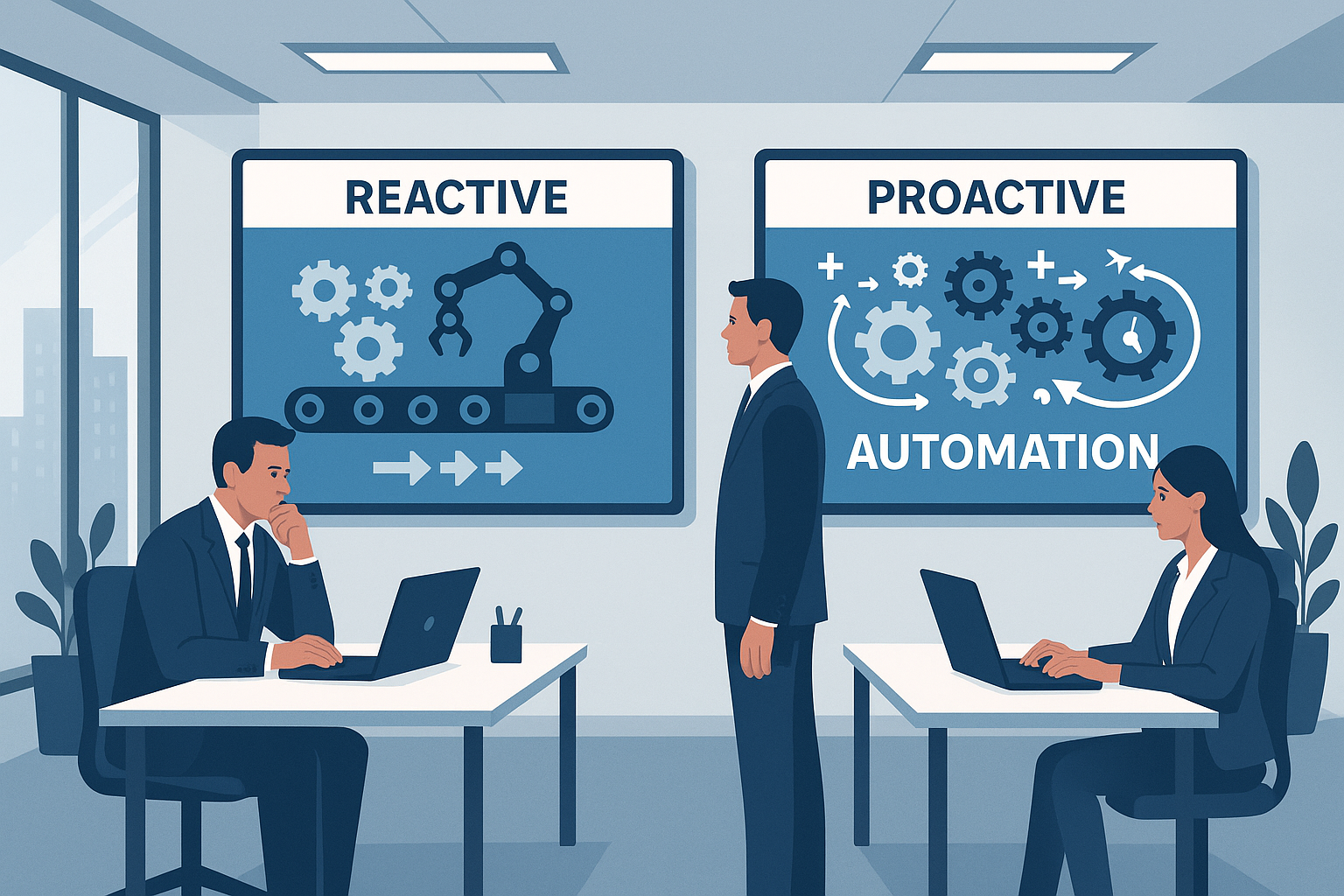
Most companies confuse reactive automation with proactive automation — and lose out because of it. Reactive automation is quick, ad hoc solutions for emerging problems: a one-off script to handle a wave of complaints, manually publishing posts during a crisis, or ad hoc reminders for leads. Proactive automation, on the other hand, is designing processes that prevent problems: scalable communication flows, systematic publishing schedules and automatic lead nurturing.
As Lumi Zone, we specialize in low-code and no-code solutions (including n8n) that help move from reactive to preventive approaches. Examples from the company: in customer service chatbots and automatic triage replace endless transfers; in social media automation AI algorithms personalize content and schedule posts; in lead management scoring and automatic email sequences improve conversion.
Algorithms and AI play a key role here — personalization, moderation and trend analysis significantly streamline processes (see TechRound, OOH Magazine, Monika Kolodziejczyk).
Further in the article you'll find: a comparison of approaches, a roadmap for moving from a reactive model to a proactive one, recommended tools (including n8n) and KPIs that measure real time savings, error reduction and scalability. If you want automation to truly work for your business — read on.
3. Detailed comparison and analysis
In practice, the difference between reactive and proactive automation is visible not only in the system architecture, but above all in business outcomes: response time, operational costs and the quality of the customer experience. Below I present concrete differences illustrated with examples from social media, customer service and sales processes.
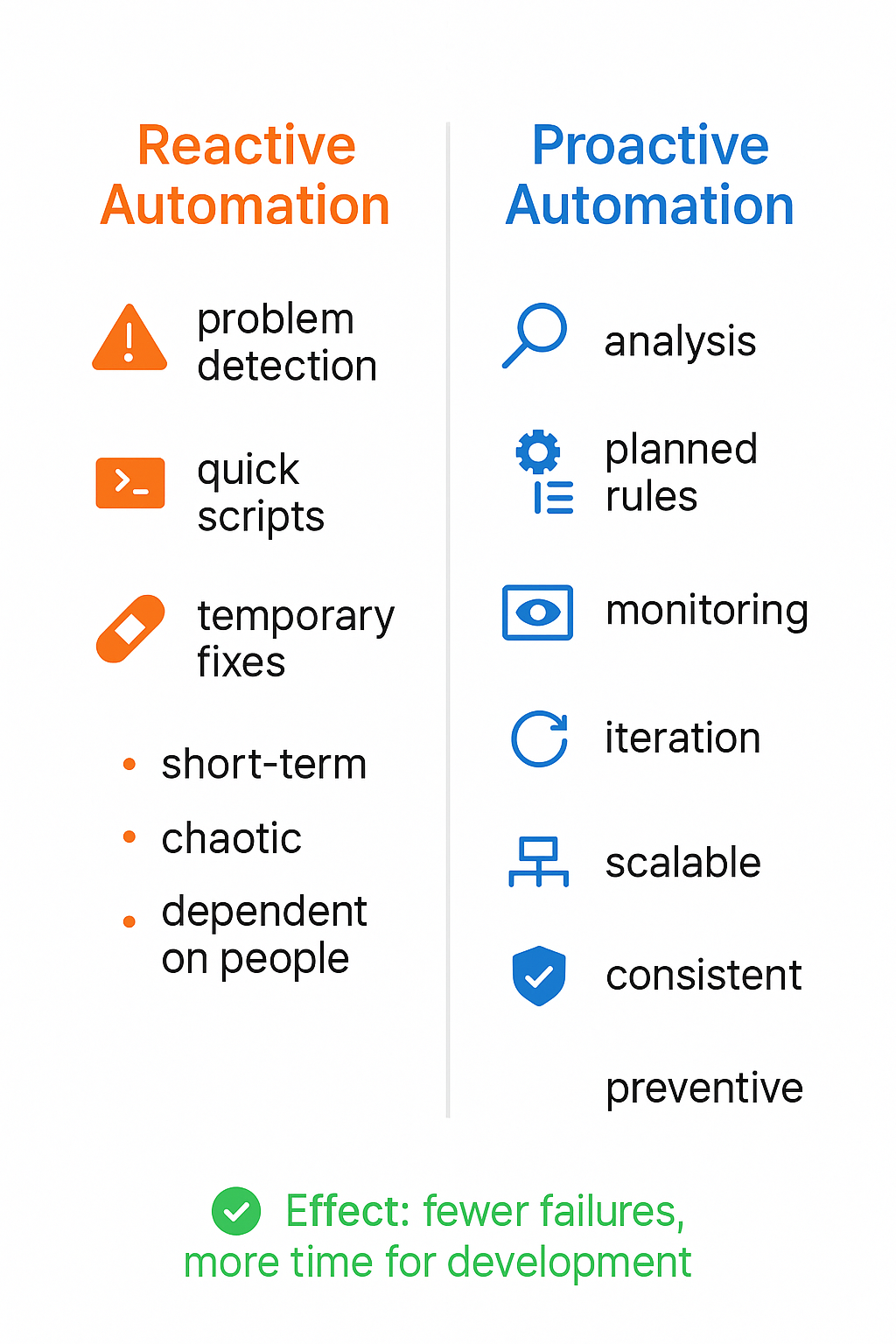
Reactive automation — characteristics and symptoms
Reactive automation appears when solutions are created "as a quick fix" to address an urgent problem. Typical symptoms include:
- repeated manual tasks that have been automated in an ad-hoc way (e.g. single scripts for publishing posts),
- scripts and workflows created under time pressure without analyzing the root causes of the problem,
- lack of monitoring and testing — automation works until it "breaks" at a critical moment,
- point solutions heavily dependent on a specific person or platform.
Typical tools used in reactive mode are simple Zapier/Integromat (Make) integrations, manual scripts, or off-the-shelf CMS plugins that lack failover layers or scaling mechanisms. Consequences? Data fragmentation, lead routing errors, inconsistent messages on social media, and rising support costs as traffic increases.
Proactive automation — a project-based approach
Proactive automation starts with the question: which processes are worth automating to avoid repetitive problems and increase ROI? Key elements are root cause analysis, designing layered automations, and prediction mechanisms.
- designing modular workflows with fallback and escalation layers,
- predictive mechanisms (e.g., lead scoring, response time forecasting),
- continuous monitoring and A/B testing of automations,
- integration with CRM and analytics systems for a complete customer view.
Example: instead of a simple script posting on Facebook, a proactive system analyzes historical engagement, optimizes posting time, and selects the content format for the audience segment — which translates into better reach and lower campaign costs. In sales, proactive automation is a flow that automatically scores leads and assigns them to a salesperson with an appropriate SLA, while simultaneously monitoring lead quality.
AI and algorithms — how they support proactivity
AI allows automation to move from reaction to prediction. In practice, it's used for:
- content personalization — algorithms analyze behaviors and select the message (more: TechRound, Mantu),
- moderation — automatic filtering of hate speech and disinformation with the option to escalate to a human (OOHmagazine),
- chatbots and NLP — recognize intents, resolve simple inquiries, and route complex cases to a consultant,
- trend analysis — systems monitor increases in interest in topics and suggest campaign adjustments (more: MonikaKolodziejczyk.pl).
Practical applications: automatically routing leads to a salesperson based on scoring (e.g. on-site behavior + campaign engagement = priority lead) and automatic optimization of publication timing based on analysis of engagement in specific audience segments. The video material shows implementation examples and the impact of AI on decision speed (video).
Most common mistakes of companies implementing reactive automation and how they escalate costs
- Lack of a data strategy — leads to duplicated work and low-quality leads → increased conversion costs.
- Point solutions without integration — process fragmentation → higher operational costs and delays.
- No contingency plan and monitoring — expensive downtime and customer loss.
- Relying solely on rules without AI oversight — moderation errors and reputational risk (algorithmic bias).
- Inadequate testing and lack of optimization — automations work but do not improve ROI.
End result: short-term savings often turn into long-term losses — higher servicing costs, loss of customers and reputational risk (information bubbles, moderation errors). Therefore we recommend a proactive approach — analysis, design, testing and AI implementation with human oversight.
If you want to check how transforming from reactive to proactive automation will affect your ROI, the Lumi Zone team will help conduct a process audit, design layered solutions and implement AI with safe oversight mechanisms.
Sources and further reading: TechRound, OOHmagazine, Mantu, MonikaKolodziejczyk.pl, video material.
5. Practical guide "How to implement proactive automation" — step by step
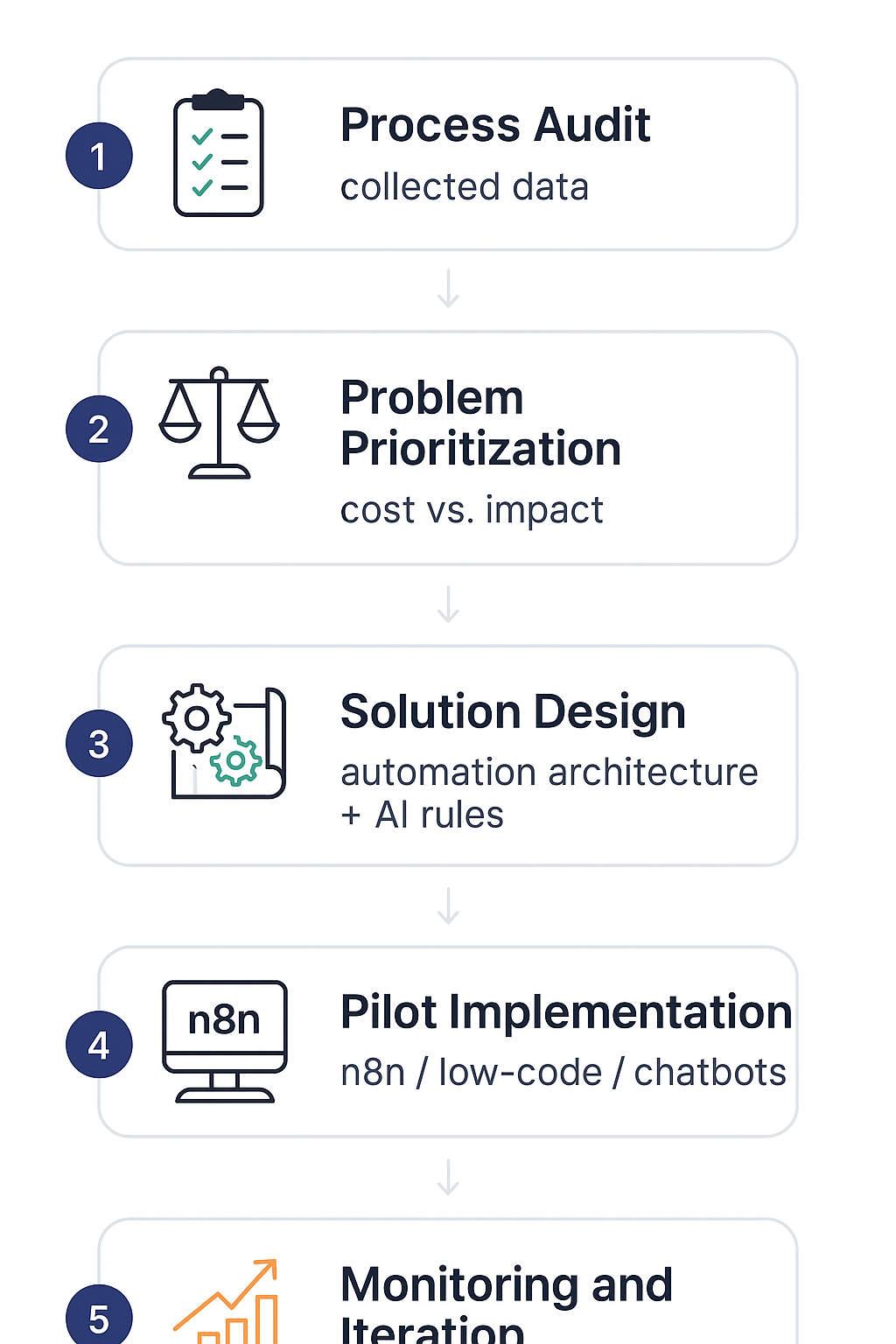
Below you'll find a practical implementation plan for proactive automation, a toolkit and the metrics worth measuring. This is the instruction we'll use together with you as an implementation partner – Lumi Zone offers a full package: audit, pilot, implementation, training and maintenance.
Step 1 — Process audit and data mapping
- Identify key processes: customer support, moderation, content publishing, lead nurturing. Choose 2–3 processes with the greatest business impact.
- Perform mapping: data sources, input/output points, manual interventions, SLAs. Record all exceptions and decision rules.
- Define security and compliance requirements (GDPR, retention policy).
Step 2 — Tool selection
- Workflow orchestration engine: n8n (low-code), Make, Zapier — choose a platform that easily integrates with your CRM and marketing systems.
- No-code/low-code for screens and business logic: Bubble, Retool, Appsmith.
- AI models: tools for personalization and moderation (language model APIs, tools for classification/content detection). Choose a model with the ability to validate and audit decisions.
- Integrations: CRM (HubSpot, Salesforce), email platforms (Klaviyo, Mailchimp), ticketing systems (Zendesk), social media APIs.
Step 3 — Building rules and scenarios
- Start with simple proactive rules: sending reminders, content suggestions, escalation to a consultant for high purchase intent.
- Use AI for personalization: real-time segmentation, content selection, product suggestions.
- Create fallback logic: if the AI model does not reach the confidence threshold, route to manual review.
Step 4 — A/B testing and pilot
- Run A/B tests with clear hypotheses (e.g., "proactive message X will increase conversion by Y%").
- Pilot on a selected segment (~5–10% of the base) for 4–8 weeks.
- Monitor metrics, collect user feedback, and refine rules.
Success metrics (KPIs)
- Response time: average time from event to automated action (target: <1 hr.).
- Number of manual interventions: decrease (%) after implementation.
- Conversion rates: lead→purchase, CTR in proactive campaigns.
- CAC and LTV: observing the impact on acquisition costs and customer value.
- NPS and CSAT: customer satisfaction with automated support.
- Saved time-to-work: hours of work saved per month.
Governance and data security
- Versioning of rules and workflows (historical snapshots of changes).
- AI model validation: test set, bias metrics, confidence thresholds.
- Error control: alerts, retry logic, circuit breaker for excessive errors.
- Access and audits: RBAC, audit logs, encryption of data in transit and at rest.
Example simplified case study
An e-commerce company implements a proactive recommendation and reminder workflow. Implementation cost (tools + integrations + pilot) = 40,000 PLN. After 3 months:
- Decrease in manual interventions: from 500 to 100 per month (labor savings: 400h/month = 40,000 PLN in savings).
- Increase in conversion from 2% to 2.6% (additional revenue: 60,000 PLN/month).
- Reduction of CAC by 20% thanks to better retention and personalization.
ROI after 3 months: the investment paid off, and after 6 months the net profit is tens of thousands of zlotys per month — thanks to reduced operating costs and increased revenue.
Common pitfalls and pre-launch checklist
- Pitfall: lack of clear KPIs — define goals before launch.
- Pitfall: overreliance on AI without a manual fallback.
- Pitfall: poor CRM integration → loss of customer context.
Pre-launch checklist:
- Defined KPIs and success thresholds
- A/B tests planned and test scripts
- Rollback and monitoring plan
- Data security and access audits
- Training for the support team
If you want, Lumi Zone will conduct an audit, build a pilot, and implement a solution with n8n and AI models, plus train the team and take over maintenance. Contact us and we'll prepare a plan tailored to your business.
Summary and call to action
Moving from reactive to proactive automation delivers real savings and competitive advantage. In practice you will gain:
- Time savings — the system handles repetitive tasks, you focus on growth.
- Better customer experience — fast, consistent, and personalized responses.
- Error prevention — automations enforce rules and eliminate human mistakes.
- Scalability — solutions grow with your company.
Working with Lumi Zone in 3 steps:
- Free process audit — we identify the biggest time sinks.
- Pilot (4–6 weeks) — quick tests and measurable results.
- Implementation and training — documentation, knowledge transfer, and support.
Want to see an n8n demo or schedule a consultation? Download our audit checklist prepared by Lumi Zone and plan a free conversation — we'll present a quote after the audit. Additional materials and inspiration can be found here: TechRound, OOH Magazine, Mantu, Monika Kołodziejczyk.