n8n vs Zapier vs Make: cheaper and more powerful automation
Introduction — why this comparison?
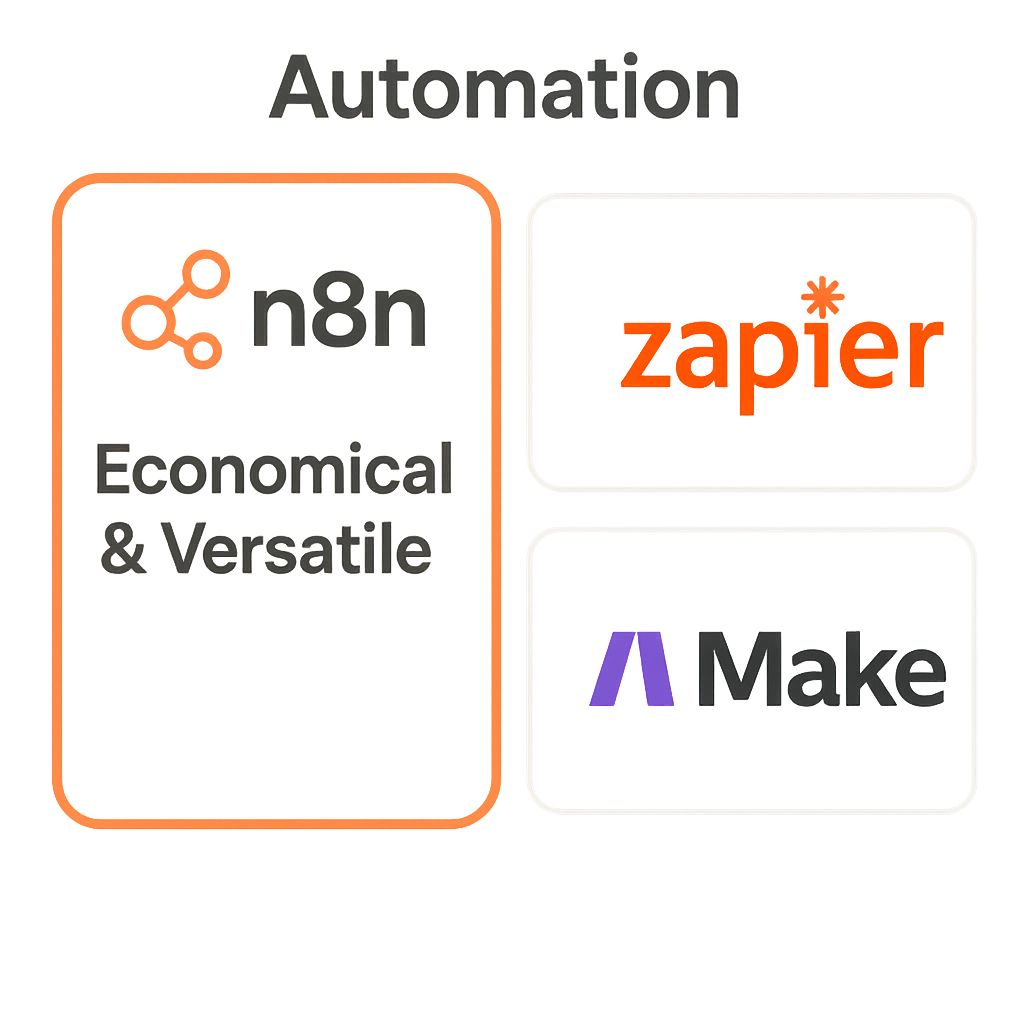
If you run a small business, manage a marketing team, or are the technical person responsible for processes — the choice of an automation tool has real implications for cost, security, and scalability. In this article we compare n8n, Zapier, and Make, pointing out when each solution has the advantage. Our main conclusion: for many applications we recommend n8n because of lower operating costs (ability to self-host) and greater technical capabilities, especially where flexibility and control over data are required.
Automation today is a combination of classic, deterministic algorithms and increasingly an AI layer that learns from data. Algorithms do exactly what you program them to do, while AI can adapt to new patterns — but it requires oversight and good data (see the articles Aproco and Monika Kołodziejczyk). This distinction affects the choice of tool: if you need predictability and full control — low-code/self-hosted solutions are better; if the priority is rapid deployment without programming — SaaS platforms can be attractive.
In the following sections we will take a detailed look: we will compare costs and licensing models, integration capabilities, security aspects, and example deployment scenarios. As Lumi Zone we will show how to practically select and implement a solution that will reduce costs and speed up your business processes.
Detailed overview of the tools — Zapier, Make and n8n
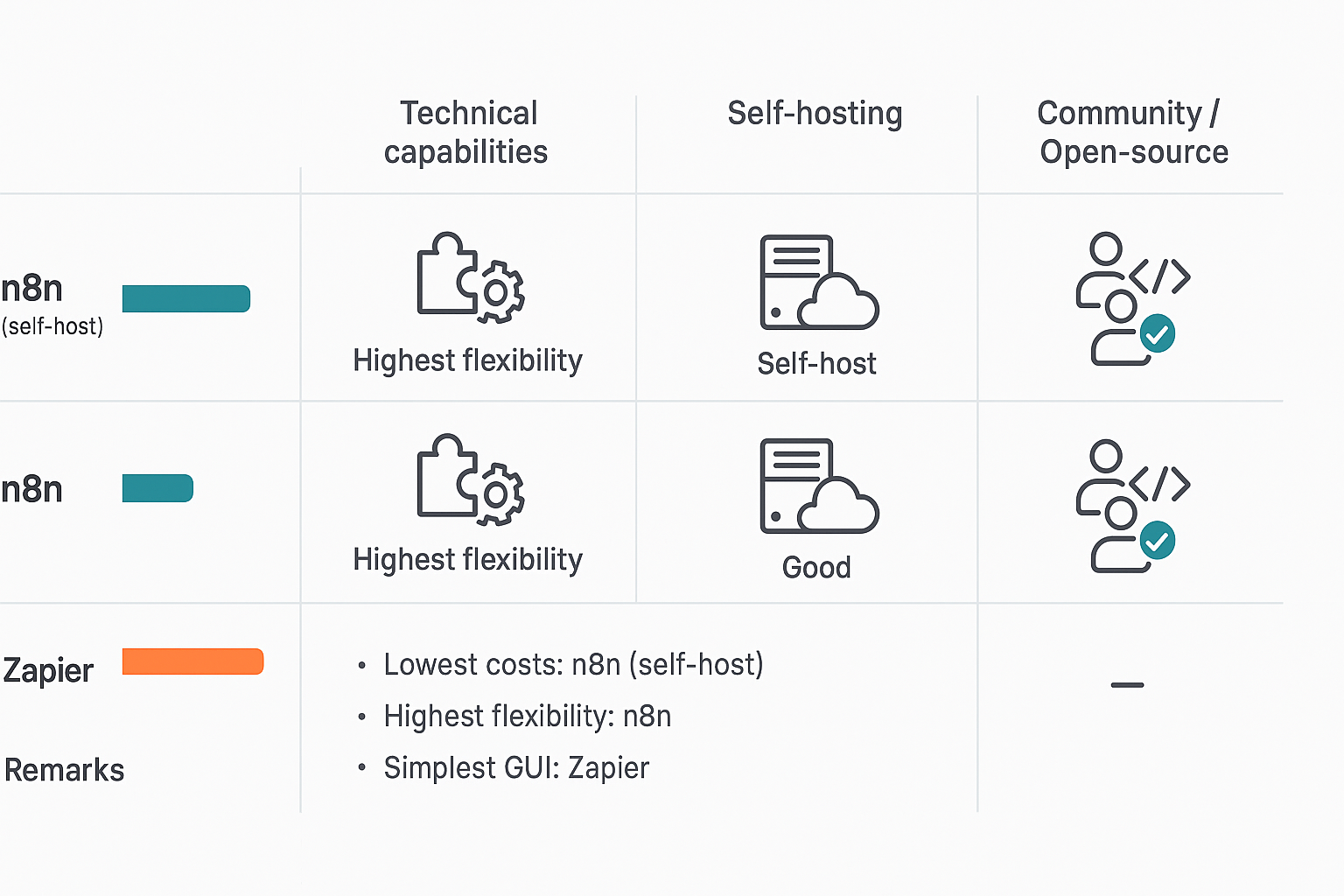
Below you will find a practical comparison of the three most popular automation tools: Zapier, Make (formerly Integromat), and n8n. I briefly describe who each solution is best for, list key features, the pricing model including scaling, typical use cases, and the level of implementation difficulty. At the end I explain how integration with AI tools affects automations and what to watch out for.
Zapier — for quick integrations and non-technical teams
- What it is: A SaaS service focused on simplicity — you connect apps and build "Zaps" without code. Ideal for marketing and small teams.
- Key features:
- Integrations: a huge library of ready-made connectors
- Workflow editor: simple, linear builder
- Error handling: retries, notifications for failed tasks
- Trigger modes: webhooks, schedules, in-app events
- Monitoring: basic logs and alerts
- Cost and scaling: cost increases with the number of executions and processed tasks — at large scale it's worth analyzing operational costs.
Make — visual flexibility and conditional logic
- What it is: A visual workflow builder with more control over data flow than Zapier. A good solution for teams needing complex transformations.
- Key features:
- Integrations: a wide selection of modules and HTTP requests
- Workflow editor: drag-and-drop, branching, iterations
- Error handling: conditional paths and retries
- Run modes: webhook, schedule, events
- Monitoring: detailed logs and flow inspection
- Cost and scaling: an operation- and data-transfer-based model — more flexible than simple plans, but costs increase with intensive ETL.
n8n — flexibility and control (a strong option for scaling)
- What it is: An open-source platform with self-hosting capability — provides the greatest control and flexibility for technical teams and agencies like Lumi Zone.
- Key features:
- Integrations: many ready-made connectors + the ability to create custom ones
- Workflow editor: visual, with access to JavaScript code
- Error handling: granular retries, exception handling and custom error handlers
- Run modes: webhooks, CRON, events, queues
- Monitoring: full logs, metrics and the ability to integrate with observability tools
- Cost and scaling: self-hosting allows controlling costs with a large number of tasks — fees depend on infrastructure and operations, which is often cheaper than SaaS at high volume.
Typical use cases and level of implementation difficulty
- Typical uses: marketing automation, content publishing (WordPress/social), sales workflows (CRM → lead nurturing), ETL and data synchronization.
- Implementation difficulty: Zapier — the simplest; Make — medium (more logic); n8n — the steepest learning curve, but the highest flexibility and control.
AI in automations — benefits and risks
Integration with AI tools (content generators, analytical models, sentiment analysis) increases social media automation and campaign personalization. AI helps speed up content creation, optimize publication timing and analyze engagement — as described by publications on AI in social media (OOH Magazine, Monika Kołodziejczyk).
However, AI is not magic — models learn from data and can reproduce errors or biases. It is worth applying result validation, manual reviews and limits on automated publishing (more about the risks: Aproco, Dymek).
If you want to optimize costs and choose the right tool — Lumi Zone will help conduct an audit of current processes, design secure AI automations and implement the solution best suited to the scale of your business.
5. Deeper rationale for choosing n8n + Lumi Zone offer — expert section
If you're wondering why n8n often wins over Zapier or Make for small and medium-sized businesses — below you'll find detailed, practical arguments. As Lumi Zone we implement n8n in companies that expect full control over data, flexibility of integrations and sensible economics when scaling automations.
1. Technical advantages of n8n
- Open‑source and self‑host: You can run n8n on your own infrastructure or in the cloud managed by us. That means no “black box” and full access to the code and logs.
- Creating custom nodes: n8n allows creating dedicated nodes, enabling us to integrate unusual systems, internal APIs or non-standard processes without compromises.
- Full control over data: Data does not have to pass through external services — you have control over storage, encryption and retention policies.
2. Economics — why self‑hosting often pays off
The competitors' subscription model can be simple, but as the number of workflows and complexity of processes grows, costs rise sharply. Self‑hosting n8n removes limits on the number of workflows and usually reduces operational costs at scale. For companies that automate many processes (marketing, sales, ETL, reporting), no fees for each additional connection or execution are real savings in the long term.
3. Security and privacy
For companies processing sensitive data (e.g., medical, financial or personal), self‑hosted n8n is an advantage: you can apply your own security policies, encryption, VPC, firewall and access audits. Lumi Zone performs configuration in line with best practices (environment separation, key rotation, monitoring), which minimizes the risk of data leaks.
4. Flexibility of integration with AI and internal systems
n8n connects well with AI models and low‑code/no‑code tools. Examples of integrations we implement:
- Automatic generation and optimization of blog and social media content using AI (while maintaining editorial control) — according to research on the impact of AI on content creation and the risks of errors that require oversight (Aproco).
- Lead enrichment: calling an AI API to complete customer profiles, lead scoring and passing the results to the CRM.
- Automated reports and analyses: ETL of sales data + a predictive model generating recommendations for sales actions.
- Automation of social media presence with performance analysis and optimization of publishing times (confirmed benefit of AI in social media — OOH Magazine, Monika Kołodziejczyk).
5. Example automations — mini case studies
- Blog and social publishing: Content created by an editor + AI optimizes the text for SEO → n8n publishes the article in the CMS, generates images, schedules posts on FB/LinkedIn/Instagram and reports reach.
- Lead → CRM → newsletter process: Lead form → validation and data enrichment (AI) → record in CRM → automatic onboarding email and a reminder for the salesperson.
- Sales data ETL: Retrieving data from sales platforms, transformation, loading into the warehouse and automatic creation of a dashboard with key KPIs.
- Monitoring and alerts: Log analysis, detection of a sales anomaly → immediate notification of the team and creation of a ticket in the ticketing system.
6. n8n challenges and how Lumi Zone solves them
The most commonly cited downside of n8n is the need for basic administration / DevOps when self-hosting. Lumi Zone offers complete support:
- Managed hosting and backups – configuration, monitoring and updates.
- DevOps as a service – automatic scaling, security and audits.
- Creation of custom nodes and automation tests as well as training for the team.
Lumi Zone offer — what you'll get and the benefits
Our proposal includes:
- Automation audit and ROI analysis — we identify quick wins and areas for savings.
- Proof‑of‑Concept — quick pilot implementation with real results.
- Full implementation and integrations (custom nodes, AI, CRM, CMS, data warehouse).
- Managed n8n hosting, maintenance and DevOps.
- Training and documentation for the team — so you won't be dependent solely on external services.
What do you gain? Time savings (employees focus on value-added work), reduction of operational costs when scaling automation, and full control over data and processes. If you want, Lumi Zone will perform a quick audit for you and show how n8n can work in your company — from POC to a managed production environment.
Summary, practical checklist and call to action
In short: the choice between n8n, Make and Zapier depends on your needs. Choose n8n when you need full control, self-hosting and flexible, custom integrations. Make is a good compromise — extensive visual workflow design capabilities and more convenience than strictly developer tools. Zapier is suitable when you want to quickly automate standard processes without involving a technical team.
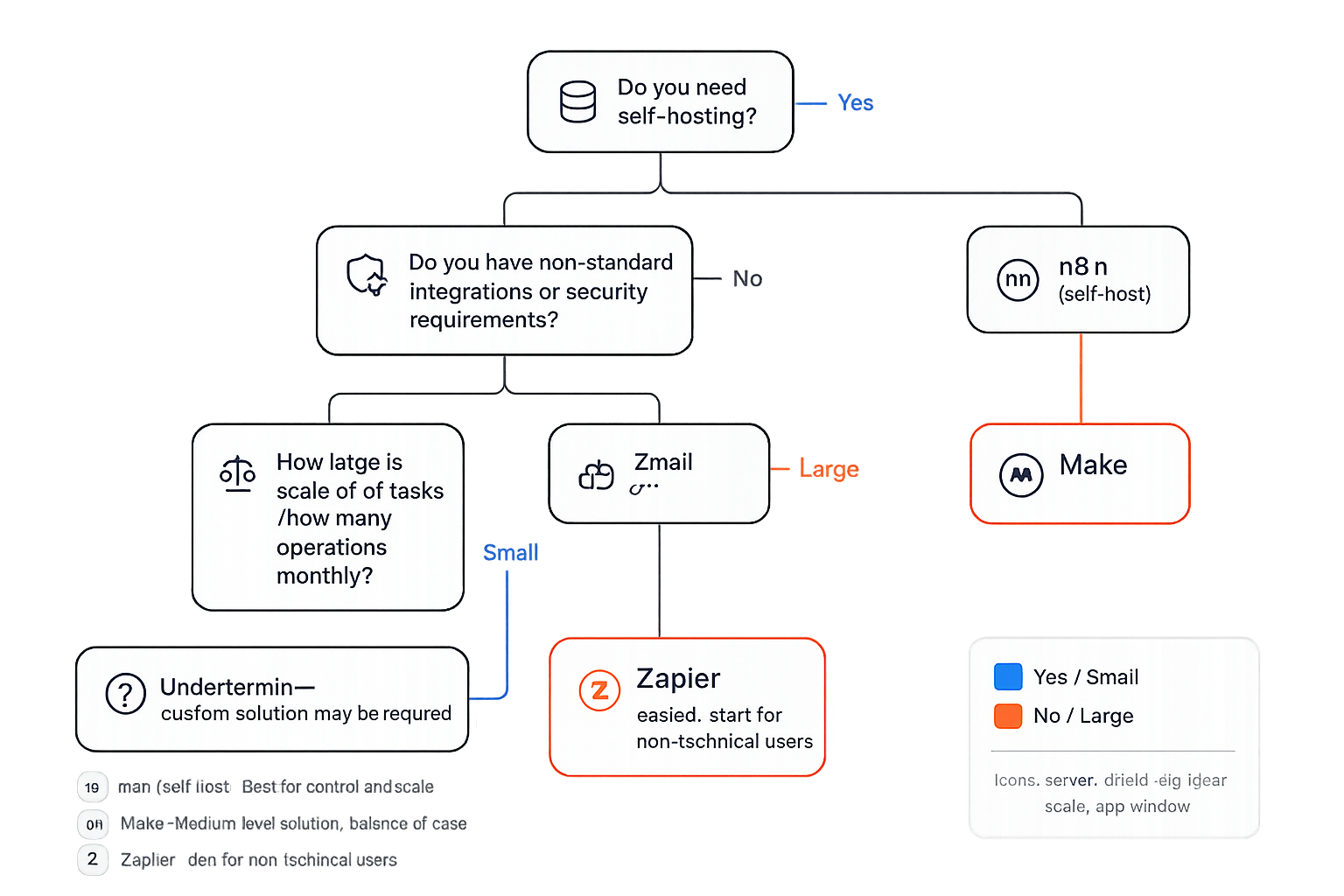
Below you'll find a quick decision checklist that will help you choose the right tool:
- Do you need self-hosting? — YES → consider n8n.
- Do you have custom integrations or need full control over logic? — YES → n8n or Make with extensions.
- Is the priority quick setup and simplicity for non-technical users? — YES → Zapier.
- Do you require advanced orchestration with conditional logic, retries and monitoring? — Make or n8n.
- Are you scaling above X operations per month? (X = high scale) — If you plan for high scale, pay attention to operational cost, limits and the possibility of self-hosting.
- Do you need full access to data and logs for compliance or security reasons? — n8n or a privately hosted solution.