You Don't Need a Programmer - 5 Low-Code Automations You Can Implement Yourself

Eliminating Manual Efforts: The Power of Low-Code for SMEs
For entrepreneurs leading small and medium-sized enterprises (SMEs), the daily grind often involves a relentless battle against manual processes. Tasks such as responding to customer inquiries, tracking sales leads, managing email campaigns, processing invoices, or coordinating project workflows can consume an inordinate amount of time and resources. This constant effort not only drains productivity but also diverts focus from core business activities and strategic growth initiatives. The cumulative cost, both in terms of operational expenditure and lost opportunity, can be substantial, hindering an SME's ability to scale and compete effectively in dynamic markets.
Traditionally, automating complex business processes required significant investment in custom software development or hiring skilled programmers. This presented an insurmountable barrier for many SMEs, whose budgets and technical resources are often limited. The paradigm has shifted dramatically with the advent of low-code and no-code development platforms. These innovative tools democratize technology, empowering business owners and their teams to build sophisticated applications and create intricate automations with minimal to no coding knowledge. Low-code platforms provide a visual development environment, allowing users to drag and drop pre-built components, configure workflows, and integrate various systems through intuitive interfaces.
The revolution brought about by low-code and no-code tools for small businesses is profound. They act as a catalyst for efficiency, enabling SMEs to achieve operational excellence previously reserved for larger corporations. By reducing the reliance on specialized programming skills, these platforms drastically cut down development time and costs. What once took weeks or months of coding can now be achieved in days or even hours through visual configuration. This agility allows businesses to respond more rapidly to market changes, experiment with new processes, and iterate on solutions without incurring prohibitive expenses.
Furthermore, the ability to automate repetitive, time-consuming tasks frees up invaluable human capital. Employees can shift their focus from mundane data entry or routine communication to more strategic, value-added activities that require human judgment, creativity, and problem-solving skills. This re-allocation of resources not only boosts overall productivity but also enhances employee satisfaction, as teams engage in more meaningful work. Ultimately, low-code automation represents a strategic imperative for SMEs looking to optimize operations, enhance customer experiences, and unlock new avenues for growth in today's competitive landscape. It's about working smarter, not harder, and achieving significant time and cost savings that directly impact the bottom line.
Automating Customer Interactions with AI Chatbots
Customer service is often the first point of contact between a business and its clientele, making its efficiency paramount. Manual handling of common inquiries can quickly overwhelm resources, leading to delayed responses and frustrated customers. Implementing an AI chatbot offers a scalable, always-on solution, and the good news is, you don't need a programmer to set one up. Low-code tools have made creating intelligent chatbots accessible to anyone.
Platforms like Google Dialogflow and Landbot provide intuitive visual interfaces to design and deploy AI chatbots. Dialogflow, for instance, allows you to define "intents" (what a user wants to do) and "entities" (specific parameters within an intent). You can train your chatbot by providing example phrases for each intent, and Dialogflow's natural language processing (NLP) engine will learn to recognize variations. For example, an intent like "Check Order Status" could have training phrases such as "Where's my order?", "Track my package," or "What's the status of my recent purchase?". You then configure "responses" that the chatbot will provide, which can be simple text, rich media, or even trigger backend actions.

Landbot takes a more visual, conversational approach, allowing you to build chatbot flows using a drag-and-drop interface, almost like designing a flowchart. You can create branching logic based on user inputs, guiding them through a series of questions to resolve their queries or collect information. This makes it particularly effective for lead qualification, booking appointments, or providing guided support.
Configuring basic scenarios involves identifying frequently asked questions (FAQs) and common requests. Start with simple informational queries, such as business hours, location, or product details. Gradually, you can introduce more complex scenarios, like helping customers reset passwords or troubleshooting minor issues by integrating with knowledge bases. Many low-code chatbot platforms also support conditional logic, allowing the bot to ask follow-up questions or escalate to a human agent when necessary.
A crucial aspect of communication automation is integrating your AI chatbot with popular messaging channels. Both Dialogflow and Landbot offer straightforward integrations with platforms like Facebook Messenger, WhatsApp, your website, and even Slack. These integrations typically involve generating an API key or following a few configuration steps within the platform's dashboard to connect your chatbot. Once integrated, your chatbot can handle inquiries around the clock, reducing the burden on your customer service team and ensuring consistent, immediate responses. This not only enhances customer satisfaction but also significantly reduces operational costs associated with manual customer support.
Low-code tools democratize technology, empowering business owners to build sophisticated applications and intricate automations with minimal to no coding knowledge.
Streamlining Sales Workflows with a Low-Code CRM System
Managing sales processes, from initial lead capture to deal closure, can be a convoluted and time-intensive endeavor for any SME. Without a centralized system, tracking leads, following up with prospects, and monitoring sales performance often devolves into a haphazard collection of spreadsheets, notes, and forgotten tasks. A custom-built CRM system might seem out of reach without a dedicated development team, but low-code platforms like Airtable offer a powerful yet accessible solution for building a tailored sales automation system.
Airtable, often described as a hybrid spreadsheet-database, provides the flexibility to structure your data in a way that perfectly matches your sales workflow. You can create tables for "Leads," "Accounts," "Contacts," and "Deals," defining custom fields for each, such as lead source, status, deal value, next action date, and salesperson assigned. The visual interface allows you to view this data in various ways – as a grid, calendar, Kanban board, or gallery – making it adaptable to different stages of your sales pipeline.

Automation within Airtable can transform your sales process. For instance, you can set up automations to:
- Automatic Reminders: Configure rules that send an email or Slack notification to a salesperson when a lead's "Next Action Date" is approaching, or when a deal status changes to "Follow-up Required."
- Lead Tracking: Automatically update a lead's status when they complete a form on your website (via integration with form builders) or when an email is sent to them. New leads can be automatically assigned to the next available salesperson.
- Email Integration: Integrate Airtable with your email service (often via Zapier or Make.com) to log outgoing emails directly against a contact record. You can also create templates for common sales communications that can be triggered automatically based on specific criteria.
- Pipeline Management: Use Kanban views to visually move deals through stages like "Qualified," "Proposal Sent," "Negotiation," and "Closed Won/Lost," with automations triggering different actions at each stage.
Beyond Airtable, tools like Monday.com or ClickUp also offer robust low-code features for building custom CRMs with extensive automation capabilities. The key is to map out your current sales process, identify bottlenecks, and then configure the low-code platform to automate those specific steps. This means fewer manual updates, less chance of leads falling through the cracks, and a clearer overview of your sales performance. By centralizing your sales data and automating routine tasks, you empower your sales team to focus on building relationships and closing deals, ultimately driving more revenue for your business. It's about creating a streamlined, results-focused sales machine without the need for complex programming.
Automating Email Marketing and Campaigns for Engagement
Email marketing remains one of the most effective channels for engaging customers, nurturing leads, and driving conversions. However, manually sending individual emails, segmenting audiences, and tracking campaign performance can quickly become overwhelming for SMEs. Low-code automation, particularly through platforms like Mailchimp coupled with integration tools like Zapier, offers a powerful way to build sophisticated, automated email campaigns that run seamlessly in the background.
Mailchimp provides an excellent foundation for email marketing, offering intuitive tools for list management, email design, and basic automation. You can create different audience segments based on demographics, purchase history, or engagement levels, ensuring your messages are always relevant. The real power of automation comes when you set up automated sequences:
- Welcome Sequences: When a new subscriber joins your list, an automated welcome series can be triggered. This sequence might include an introductory email, followed by a series of messages introducing your brand, popular products/services, and a call to action. This ensures every new contact receives a consistent, engaging onboarding experience without manual intervention.
- Customer Segmentation: Based on customer behavior (e.g., website visits, past purchases), you can automatically move subscribers into different segments. For example, customers who viewed a specific product category but didn't buy could be added to a segment that receives targeted promotions for those products.
- Follow-up Automation: For e-commerce businesses, abandoned cart reminders are a crucial automation. If a customer adds items to their cart but doesn't complete the purchase, an automated email can be sent after a set period, gently reminding them and perhaps offering an incentive. Post-purchase follow-ups, asking for reviews or suggesting complementary products, can also be automated to enhance customer loyalty.

Integrating Mailchimp with other business tools via Zapier (or similar platforms like Make.com) elevates your marketing automation capabilities significantly. Zapier acts as a bridge between thousands of web applications. For example, you can create "Zaps" to:
- Automatically add new leads from your CRM (like the one built in Airtable) to a specific Mailchimp audience.
- Trigger an email campaign in Mailchimp when a customer completes a specific action in your e-commerce store (e.g., signs up for a webinar, makes a second purchase).
- Sync new contact information from a form submission directly into your email list.
By leveraging these low-code integrations, you can build a robust marketing automation ecosystem that saves countless hours, ensures timely communication, and personalizes customer journeys at scale. This conversion-focused approach allows SMEs to nurture relationships effectively, driving repeat business and expanding their reach without the constant manual effort, enabling marketing teams to focus on strategy and creativity rather than repetitive tasks.
Automating Accounting and Invoicing for Financial Efficiency
Managing finances is a critical but often tedious aspect of running an SME. Manual accounting processes, from generating invoices to sending payment reminders and reconciling bank statements, are prone to human error and consume valuable time that could be better spent on core business activities. Low-code automation can significantly professionalize and streamline these financial operations, ensuring accuracy and improving cash flow without the need for complex accounting software development.
Tools like QuickBooks, already widely adopted by SMEs for bookkeeping, offer robust integration capabilities that can be harnessed for automation. While QuickBooks itself provides some internal automation features, its true potential for comprehensive financial automation is unlocked when combined with external low-code platforms and integration services.
- Automated Invoice Generation: Instead of manually creating each invoice, you can set up automations that generate invoices based on specific triggers. For example, once a project is marked as "completed" in your project management tool (like Trello or Asana) or a sales deal is closed in your CRM, an automation can automatically draft an invoice in QuickBooks, pulling client details and service descriptions from the respective systems.
- Scheduled Invoice Delivery: Automations can then be configured to automatically send these invoices to clients via email on a predefined schedule or immediately upon generation. This ensures timely billing and reduces the likelihood of payment delays.
- Automated Payment Reminders: A common pain point for SMEs is chasing overdue payments. Low-code automations can alleviate this by setting up automated reminder sequences. If an invoice remains unpaid past its due date, the system can automatically send polite follow-up emails at intervals (e.g., 3 days overdue, 7 days overdue), escalating the tone if necessary.
- Bank Integration and Reconciliation: While direct bank integration for automatic reconciliation is often a feature of accounting software like QuickBooks, low-code tools can enhance this by creating alerts or reports based on reconciliation status. For example, if a payment is received, an automation can cross-reference it with outstanding invoices and update the client's account status, informing the sales team.

Integrating QuickBooks with other tools like your CRM, project management software, or even a payment gateway (via Zapier or Make.com) creates a connected financial ecosystem. When a new customer is added to the CRM, their details can automatically populate in QuickBooks. When a payment is processed through a gateway, it can automatically be recorded in your accounting software. This interconnectedness minimizes manual data entry, reduces errors, and provides real-time financial insights.
By implementing these accounting automations, SMEs can ensure their financial processes are professional, trustworthy, and efficient. This not only saves significant administrative time but also improves cash flow management, reduces the stress associated with financial oversight, and allows business owners to have a clearer, more accurate picture of their company's financial health.
Enhancing Productivity with Automated Project Management
Effective project management is the cornerstone of successful operations for any SME. However, manually tracking tasks, setting reminders, generating reports, and communicating progress can become cumbersome and lead to missed deadlines or miscommunications. Low-code automation offers a powerful solution to streamline project workflows, ensuring teams stay organized and projects remain on track without requiring a dedicated project manager or complex software development.
Platforms like Trello and Asana are popular choices for project management due to their flexibility and visual interfaces. Both offer robust automation features that can be configured directly within the tools, often referred to as "rules" or "integrations."
- Automatic Reminders: In Trello, you can set up "Butler" rules (Trello's built-in automation feature) to automatically send reminders to team members when a card's due date is approaching or when a task is overdue. Similarly, Asana allows you to create custom rules that trigger notifications based on task deadlines or status changes.
- Workflow Automation: Automate the movement of tasks through different stages of a project. For instance, when a task in Trello is moved from "To Do" to "In Progress," an automation can automatically assign it to a specific team member, add a checklist of sub-tasks, and set a new due date. In Asana, you can create rules that automatically update task statuses, assign follow-up tasks, or move tasks to different sections based on user actions or conditions.
- Reporting and Progress Tracking: While Trello and Asana provide native reporting, low-code integrations (using Zapier or Make.com) can push project data to external reporting tools or spreadsheets. For example, every time a task is marked "completed," an automation can log this event in a Google Sheet, allowing you to build custom dashboards for tracking team productivity, project velocity, and potential bottlenecks.
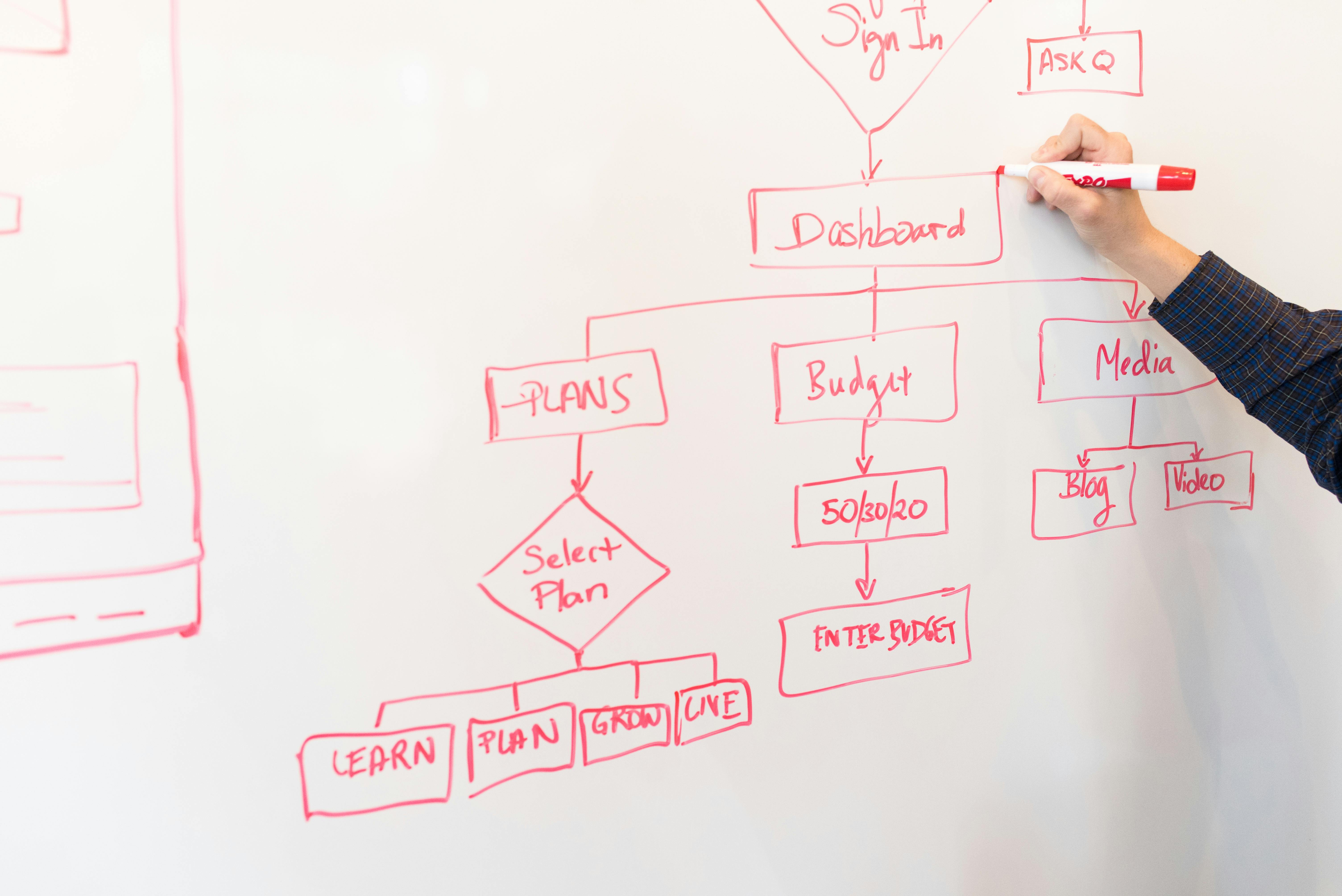
Integrations are key to maximizing project management automation. Connecting your project management tool with other systems prevents data silos and streamlines communication:
- Email Integration: Automatically convert incoming emails into tasks in Trello or Asana, ensuring no requests fall through the cracks.
- Communication Tools: Integrate with Slack or Microsoft Teams to send automatic notifications to relevant channels when a task is updated, assigned, or completed, keeping everyone informed in real-time.
- File Storage: Link tasks to files stored in Google Drive or Dropbox, ensuring all project-related documents are easily accessible.
By automating these project management aspects, SMEs can significantly boost organizational efficiency and productivity. Teams can spend less time on administrative overhead and more time on actual work, fostering better collaboration and clearer communication. This proactive approach to workflow automation ensures that projects are delivered on time and within scope, transforming how your business executes tasks and achieves its objectives.
Your First Automation: A Practical Implementation Guide
The prospect of implementing low-code automation might seem daunting at first, but with a structured approach, any SME can successfully integrate these powerful tools. Starting small and scaling up is often the most effective strategy. Here are five practical steps to guide you through implementing your first automation:
- Identify a Pain Point: Begin by identifying a specific, repetitive manual process that consumes significant time or is prone to errors. This could be anything from answering FAQs, sending welcome emails, inputting lead data, or reminding clients about payments. Choose a process that is well-defined and has clear start and end points. A small, impactful win will build confidence and demonstrate the value of automation.
- Define the Desired Outcome: Clearly articulate what you want the automation to achieve. Do you want to save 10 hours a week? Reduce data entry errors by 50%? Improve customer response time to under 1 minute? Having a measurable goal will help you assess the automation's success.
- Map Out the Process (Manual & Automated): Document the current manual steps. Then, visualize how the automated process will flow. Which tools will be involved? What triggers the automation? What actions will it perform? This can be as simple as a flowchart or a bulleted list. For example, "New lead form submission (trigger) → Add lead to CRM (action 1) → Send welcome email (action 2)."
- Select the Right Tools and Build: Based on your identified pain point and mapped process, select the most appropriate low-code or no-code tools. If it's customer service, consider Dialogflow or Landbot. For sales, Airtable. For email marketing, Mailchimp + Zapier. Many tools offer free trials, allowing you to experiment. Follow their intuitive interfaces to build your automation, connecting the necessary steps as per your mapped process.
- Test, Refine, and Monitor: Before full deployment, rigorously test your automation. Run through various scenarios, including edge cases, to ensure it behaves as expected. Does it send the right email to the right person? Does it update the correct fields? Collect feedback, make adjustments, and then launch. Once live, continue to monitor its performance. Automation is an ongoing process of improvement; look for ways to optimize or expand its capabilities over time.
For beginners, focus on a single, straightforward automation first. Don't try to automate your entire business at once. Success with a small project provides the momentum and knowledge needed to tackle more complex automations. Remember, these tools are designed for business users, so dive in, experiment, and don't be afraid to try. The benefits of reclaiming your time and streamlining your operations are well worth the effort.